The Only Complete Scan-to-SOLIDWORKS Solution
Geomagic for SOLIDWORKS provides a direct, reliable path from raw scan data
to fully editable, feature-based CAD models — without ever leaving your
SOLIDWORKS environment.
Engineers can scan, analyse, and rebuild real-world parts into precise CAD
geometry faster, with confidence and control.
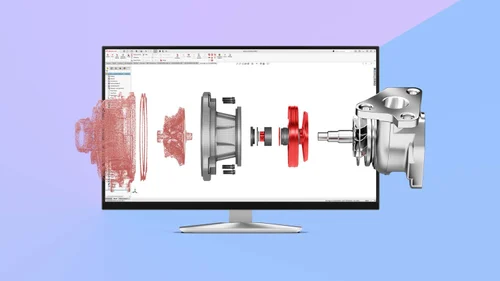
Geomagic for SOLIDWORKS is the industry’s premiere integrated Scan-to-CAD solution. It bridges the gap
between physical parts and your CAD environment, allowing you to design around existing objects,
recreate legacy parts, and ensure perfect fits for aftermarket components—all within the interface you
already know.
Instead of starting from a blank screen, you start from the real world. By scanning directly into
SOLIDWORKS or importing point clouds, you can use automated wizards to extract sketches, surfaces, and
feature-based solids quickly and accurately. It eliminates the inefficiency of trying to model complex
organic shapes or worn parts with calipers and traditional CAD tools alone.
Import scan data or scan directly into SOLIDWORKS using most leading 3D scanners available today.
Efficiently handle, clean, and refine large mesh and point cloud datasets with expert-grade tools.
Instantly compare CAD geometry to scan data to validate accuracy and ensure manufacturing intent.
Generate accurate surfaces from complex geometry using automated and guided surfacing workflows.
From physical part to CAD model in five simple steps.
Capture data directly inside SOLIDWORKS using supported 3D scanners, or import mesh/point cloud files.
Use automated tools to clean, smooth, fill holes, and repair the mesh to prepare it for modeling.
Identify features using Region Grouping and cut cross-sections to generate reference sketches.
Use extraction wizards to automatically create accurate sketches, surfaces, and editable solids.
Use the real-time Deviation Analysis tool to check your CAD model against the original scan data.