Entry-Level Reverse Engineering Software
Geomagic Design X Go is the affordable entry point into professional reverse engineering. It
provides the essential tools needed to convert 3D scan data into feature-based CAD models.
Perfect for students, hobbyists, and small businesses who need to create CAD from scans but don't
require advanced automation or complex surfacing.
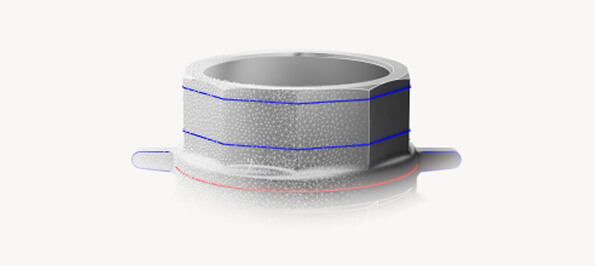
Design X Go breaks down the barrier to entry for reverse engineering. It offers the same powerful kernel as the Pro version but focuses on the core tools needed for solid modeling. It allows you to move from a physical part to a digital design quickly and cost-effectively, without paying for features you don't need.
Import and clean up 3D scan data with essential mesh repair and optimization tools.
Automatically extract sketch profiles from section cuts of your scan data to speed up modeling.
Create planes, axes, and points directly from the scan data to build your model upon.
Export your final models as standard STEP, IGES, or Parasolid files compatible with any CAD software.
Simple steps to digital design.
Load your mesh or point cloud data into the software.
Manually or automatically align the scan to the world coordinate system.
Cut sections through the mesh and use Auto-Sketch to create profiles.
Create solids by extruding, revolving, or sweeping your sketches.
Save your parametric model as a neutral CAD file (STEP/IGES).
Contact our experts to get started with Geomagic Design X Go today.
Get a Quote